
Loamio / Water orders
From water request to recorded delivery.
Review the request, follow the schedule, and open the delivery record.
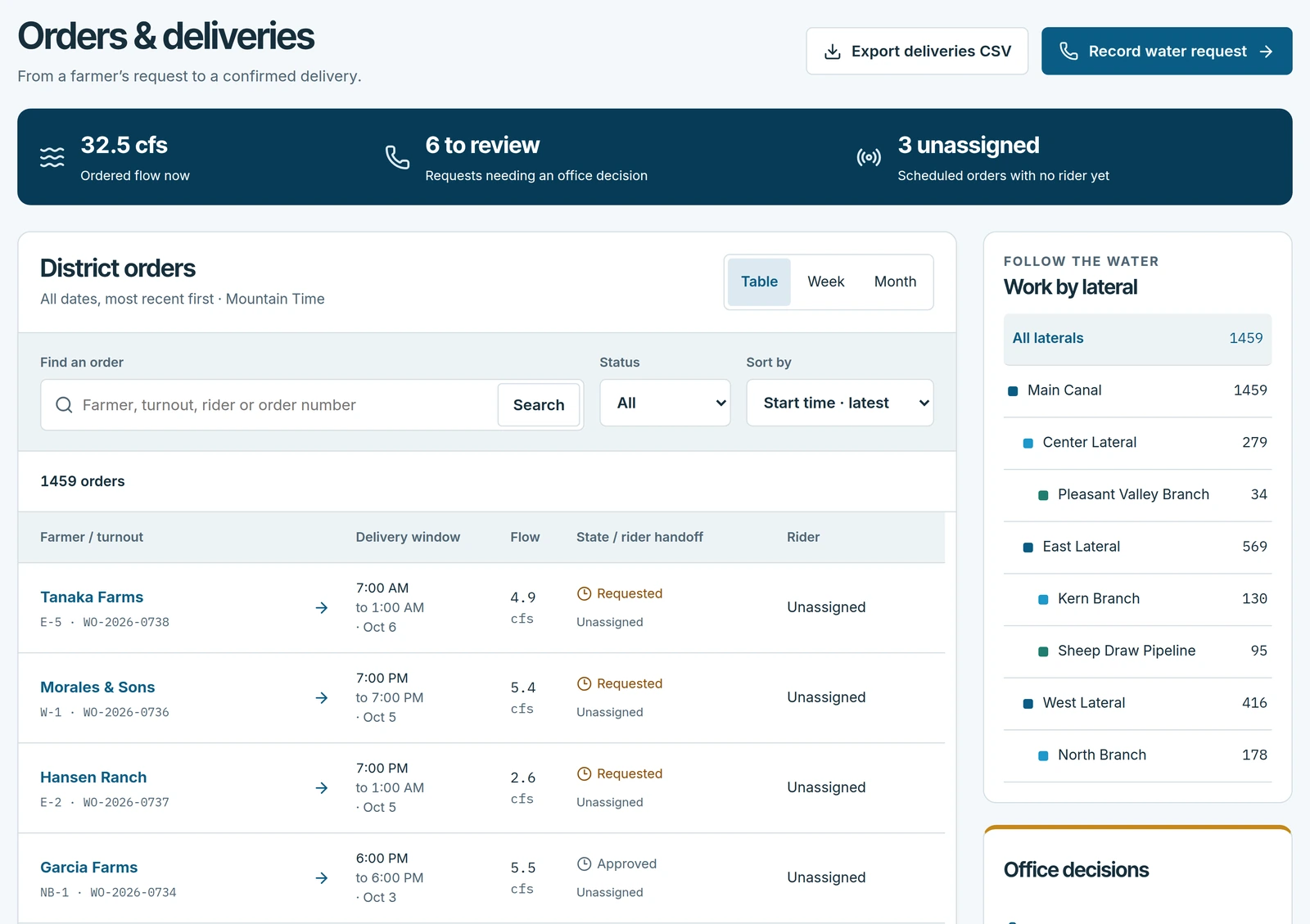
Record the request.
Keep the patron, turnout, flow, and requested window together.
Follow the schedule.
See the delivery's status and assigned rider.
Open the delivery.
Follow the order into its recorded field activity.
Water orders
The working details.
What is water order management software?
It manages the full life of a water order. The request comes in from the patron's app or the office's phone intake. The office approves it and schedules a ditch rider, the ditch rider starts and ends the delivery, and ending it posts the water to the patron's allocation ledger. Nothing is re-keyed between the request and the ledger.
Can the district approve orders before water moves?
Yes. Incoming orders are approved by the office before they enter a run, so the district keeps control of what gets scheduled. Orders appear on a week or month calendar that can be filtered by headgate, so the week's load is visible before it is committed.
Do water orders have to come in through the app?
No. Patrons can request water in the app, and the office can enter a phone request for them. Each order records how and when it came in, so phone and app orders end up in the same list.
What does the ditch rider record?
The start and end of each delivery and the cfs reading at the end. Loamio computes the acre-feet and posts them to the patron's ledger.
See Loamio at work
See it with your district in mind.
Bring a water order, a run sheet, or an assessment question to a 20-minute walk-through.